
Return to Home Page

A Tour of Scenic White Rock Lake Park
<-Go Back] [Return to Index] [Go Forward->

<--Previous Photo

Next Photo-->

Built by the CCC

Below: These concrete supports are all that's left of one of the two WRR transmitting towers that once stood here.
WRR Tower Supports

Flag Pole Hill

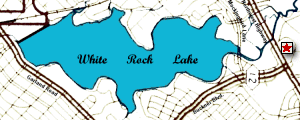
Lake Map Showing Location of Flag Pole Hill

Until the Civilian Conservation Corps built a scenic overlook atop it in 1936, "Flag Pole Hill" was called "Doran's Point." Other improvements constructed by the CCC include a picnic pavilion, a latrine, the present Athletic Club building (which previously housed equipment for the city-owned WRR-Radio Station transmitting towers that stood nearby), and the park department headquarters complex (originally a collection of concession and out-buildings), which is located at 8700 E. Northwest Highway (see Map and Directions link below). Separated from White Rock Lake by Northwest Highway, Flag Pole Hill's summit provides a great view of the surrounding area.

This part of White Rock Lake Park is a popular place for parties, picnics, family reunions, and other large gatherings. Oftentimes, public events are held here. One is the annual Earth Day Festival. In the spring of 2003, a rally was held at Flag Pole Hill to protest the then-impending War in Iraq.

[ Yahoo! Maps ]
Map of 8007 E Northwest Hwy
Dallas, TX 75238-4229
[ Yahoo! Maps ]
Directions to 8007 E Northwest Hwy
Dallas, TX 75238-4229

Free Flag Pole Hill
Computer Wallpaper

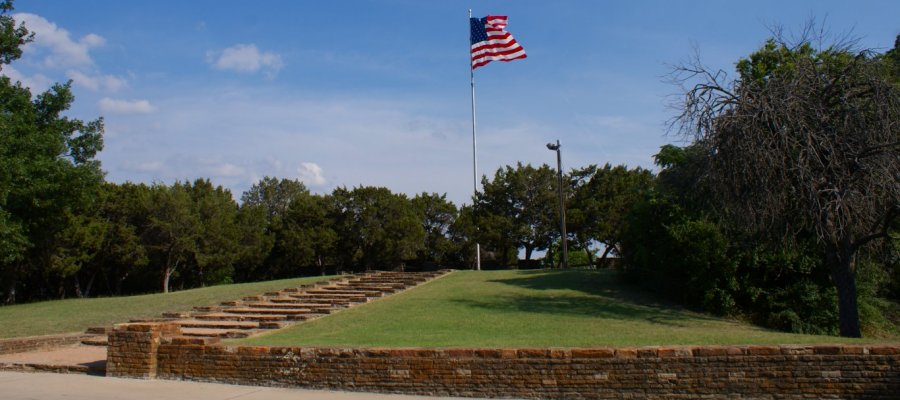
FPH Flag

I took this photo of the U.S. flag at Flag Pole Hill on January 19, 2002, which despite being a winter day, was nice and bright and sunny. I thought some of you might like to use it as wallpaper on your computers.

How to Download and Install the Wallpaper

You may want to print these instructions!

First download either of these two sizes (shown in pixels and byte size) to your WINDOWS directory.

After downloading the image to your windows directory, click on START, SETTINGS, CONTROL PANEL. After the control panel window opens, click on DISPLAY. When the next window opens, click on the BACKGROUND tab (if it is not already showing), browse to "fph-flag-800x600" (or fph-flag-640x480, if that's the size you downloaded). Select the image and click on APPLY, then OKAY and that's it! The wallpaper should be installed.

<-Go Back] [Return to Index] [Go Forward->

This website opyright © 1996-2011 by Steven Butler, Ph.D. All rights reserved.